

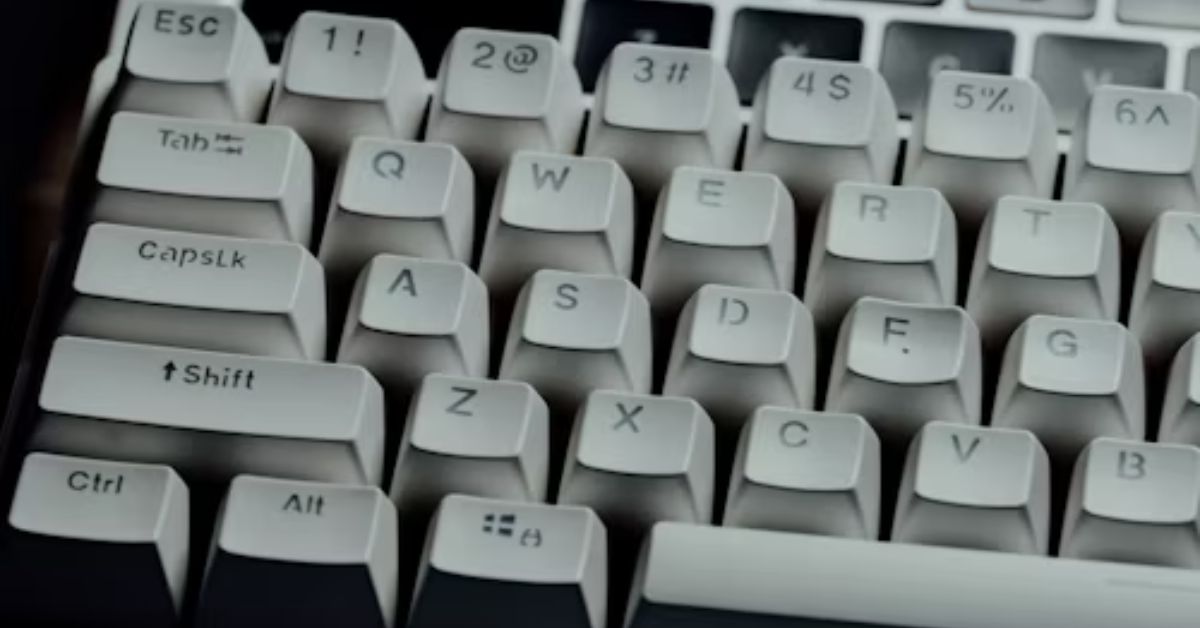
Computer shortcut keys are an important part of computer awareness and are frequently asked in SSC, banking, railway, insurance, and various government examinations. These keys help users perform tasks quickly without navigating through multiple menus, saving both time and effort. Knowledge of keyboard shortcuts improves productivity and is useful not only in competitive exams but also in daily computer usage. Candidates preparing for SSC CGL, SSC CHSL, SSC MTS, SBI PO, SBI Clerk, IBPS PO, IBPS Clerk, RRB NTPC, RRB Group D, and other exams should learn the most commonly used computer shortcut keys to score better in the Computer Knowledge section.
What are computer shortcut keys?
Computer shortcut keys are combinations of keys that execute commands instantly. Instead of using a mouse to perform actions, users can press specific key combinations to complete tasks faster. For example, Ctrl + C is used to copy text, Ctrl + V is used to paste, and Ctrl + S is used to save a file. These shortcuts improve efficiency and reduce the time required to perform routine computer operations.
| Feature | Description |
| Definition | Combination of keys used to perform commands quickly |
| Purpose | Saves time and increases productivity |
| Usage | Used in Windows, MS Office, Browsers, and Applications |
| Exam Relevance | Important for SSC, Bank, Railway, Insurance Exams |
Importance of Computer Shortcut Keys for Competitive Exams
Questions based on computer shortcut keys are commonly asked in the Computer Awareness section of competitive examinations. Since shortcut key questions are generally straightforward, candidates can easily score marks if they memorize the most important commands. Understanding these shortcuts also helps aspirants become more comfortable with computers and improve their digital literacy skills.
| Exam Category | Important Exams |
| SSC Exams | SSC CGL, SSC CHSL, SSC MTS, SSC GD, SSC CPO |
| Banking Exams | SBI PO, SBI Clerk, IBPS PO, IBPS Clerk, RBI Assistant |
| Railway Exams | RRB NTPC, RRB Group D, RRB ALP |
| Insurance Exams | LIC AAO, NIACL AO, UIIC AO |
| Other Exams | State PSC, Police, Teaching Exams |
General Computer Shortcut Keys
General computer shortcut keys are the most commonly used shortcuts across different applications and operating systems. These shortcuts help users perform basic tasks such as copy, paste, save, undo, and switch between applications. They are among the most frequently asked shortcut keys in government examinations.
| Shortcut Key | Function |
| Ctrl + C | Copy selected item |
| Ctrl + X | Cut selected item |
| Ctrl + V | Paste selected item |
| Ctrl + Z | Undo last action |
| Ctrl + Y | Redo last action |
| Ctrl + A | Select all |
| Ctrl + S | Save file |
| Ctrl + P | Print document |
| Alt + Tab | Switch between applications |
| Alt + F4 | Close active application |
| F2 | Rename selected item |
| F5 | Refresh window |
| Ctrl + F | Find content |
| Esc | Cancel current task |
| PrtScn | Take screenshot |
Computer Shortcut Keys for MS Word
Microsoft Word is widely used for creating and editing documents in educational institutions, offices, and government organizations. Learning MS Word shortcut keys helps users work more efficiently and complete tasks quickly. These shortcuts are often asked in computer awareness sections of competitive exams.
| Shortcut Key | Function |
| Ctrl + N | Create new document |
| Ctrl + O | Open document |
| Ctrl + S | Save document |
| Ctrl + P | Print document |
| Ctrl + B | Bold text |
| Ctrl + I | Italic text |
| Ctrl + U | Underline text |
| Ctrl + L | Align left |
| Ctrl + E | Center align |
| Ctrl + R | Align right |
| Ctrl + J | Justify text |
| Ctrl + K | Insert hyperlink |
| Ctrl + F | Find text |
| Ctrl + H | Replace text |
| F7 | Check spelling |
Computer Shortcut Keys for MS Excel
Microsoft Excel is one of the most important spreadsheet applications used for data management, calculations, and reporting. Knowledge of Excel shortcut keys helps users perform calculations and data analysis efficiently. These shortcuts are particularly useful for office work and competitive examinations.
| Shortcut Key | Function |
| Ctrl + N | New workbook |
| Ctrl + O | Open workbook |
| Ctrl + S | Save workbook |
| Ctrl + C | Copy |
| Ctrl + V | Paste |
| Ctrl + X | Cut |
| Ctrl + Z | Undo |
| Ctrl + B | Bold text |
| Ctrl + W | Close workbook |
| Ctrl + 9 | Hide rows |
| Ctrl + 0 | Hide columns |
| Alt + H | Home tab |
| Alt + N | Insert tab |
| Alt + A | Data tab |
| Delete | Remove cell contents |
Function Keys (F1 to F12)
Function keys are located at the top of the keyboard and perform specific tasks in different applications. Questions related to function keys are commonly asked in SSC, Banking, and Railway examinations. Understanding the primary use of each function key can help candidates answer such questions quickly.
| Function Key | Purpose |
| F1 | Open Help |
| F2 | Rename selected item |
| F3 | Search files or folders |
| F4 | Open address bar list |
| F5 | Refresh window |
| F6 | Switch between screen elements |
| F7 | Spell check |
| F8 | Extend selection |
| F9 | Recalculate workbook |
| F10 | Activate menu bar |
| F11 | Full-screen mode |
| F12 | Save As option |
Computer Shortcut Keys for MS PowerPoint
Microsoft PowerPoint is used to create presentations in schools, colleges, businesses, and government organizations. Shortcut keys in PowerPoint help users create and edit presentations efficiently. These shortcuts are important for both practical use and competitive examinations.
| Shortcut Key | Function |
| Ctrl + N | New presentation |
| Ctrl + M | Insert new slide |
| Ctrl + B | Bold text |
| Ctrl + C | Copy |
| Ctrl + V | Paste |
| Ctrl + X | Cut |
| Ctrl + Z | Undo |
| Ctrl + S | Save presentation |
| F5 | Start slideshow |
| Shift + F5 | Start slideshow from current slide |
| Page Down | Next slide |
| Page Up | Previous slide |
| Esc | End slideshow |
| Ctrl + Q | Close PowerPoint |
Windows Shortcut Keys
Windows shortcut keys help users navigate the operating system efficiently. These shortcuts are useful for opening settings, managing files, switching desktops, and accessing system tools quickly.
| Shortcut Key | Function |
| Windows + D | Show desktop |
| Windows + E | Open File Explorer |
| Windows + L | Lock computer |
| Windows + R | Open Run dialog box |
| Windows + I | Open Settings |
| Windows + S | Open Search |
| Windows + Tab | Open Task View |
| Windows + M | Minimize all windows |
| Windows + X | Open Quick Link menu |
| Windows + P | Project screen |
Google Chrome Shortcut Keys
Google Chrome is one of the most widely used web browsers. Chrome shortcut keys help users browse efficiently, manage tabs, and access browser features quickly. These shortcuts are useful for both students and professionals.
| Shortcut Key | Function |
| Ctrl + T | Open new tab |
| Ctrl + N | Open new window |
| Ctrl + W | Close current tab |
| Ctrl + Shift + T | Reopen closed tab |
| Ctrl + Tab | Switch tabs |
| Ctrl + R | Reload page |
| Ctrl + F | Find on page |
| Ctrl + L | Select address bar |
| Ctrl + D | Bookmark page |
| Ctrl + Shift + B | Show or hide bookmarks bar |
Frequently asked Computer Shortcut Keys for Exams
Many competitive examinations repeatedly ask questions on a few important shortcut keys. Candidates should memorize these shortcuts, as they have a high probability of appearing in SSC, banking, railway, and insurance exams.
| Shortcut Key | Function |
| Ctrl + C | Copy |
| Ctrl + V | Paste |
| Ctrl + X | Cut |
| Ctrl + Z | Undo |
| Ctrl + Y | Redo |
| Ctrl + S | Save |
| Ctrl + P | |
| Alt + Tab | Switch applications |
| Alt + F4 | Close application |
| F2 | Rename |
| F5 | Refresh |
| Windows + E | Open File Explorer |
| Windows + R | Open Run |
| Ctrl + A | Select All |
| Ctrl + F | Find |

Hi, I’m Tripti, a senior content writer at Oliveboard, where I manage blog content along with community engagement across platforms like Telegram and WhatsApp. With 3+ years of experience in content and SEO optimization related to banking exams, I have led content for popular exams like SSC, banking, railway, and state exams.
